


Render HTML in SwiftUI.
RichText sizes itself to its content, so HTML fits into a layout like any other view.
Styling, light and dark theming, custom fonts, media callbacks and typed errors are built in.

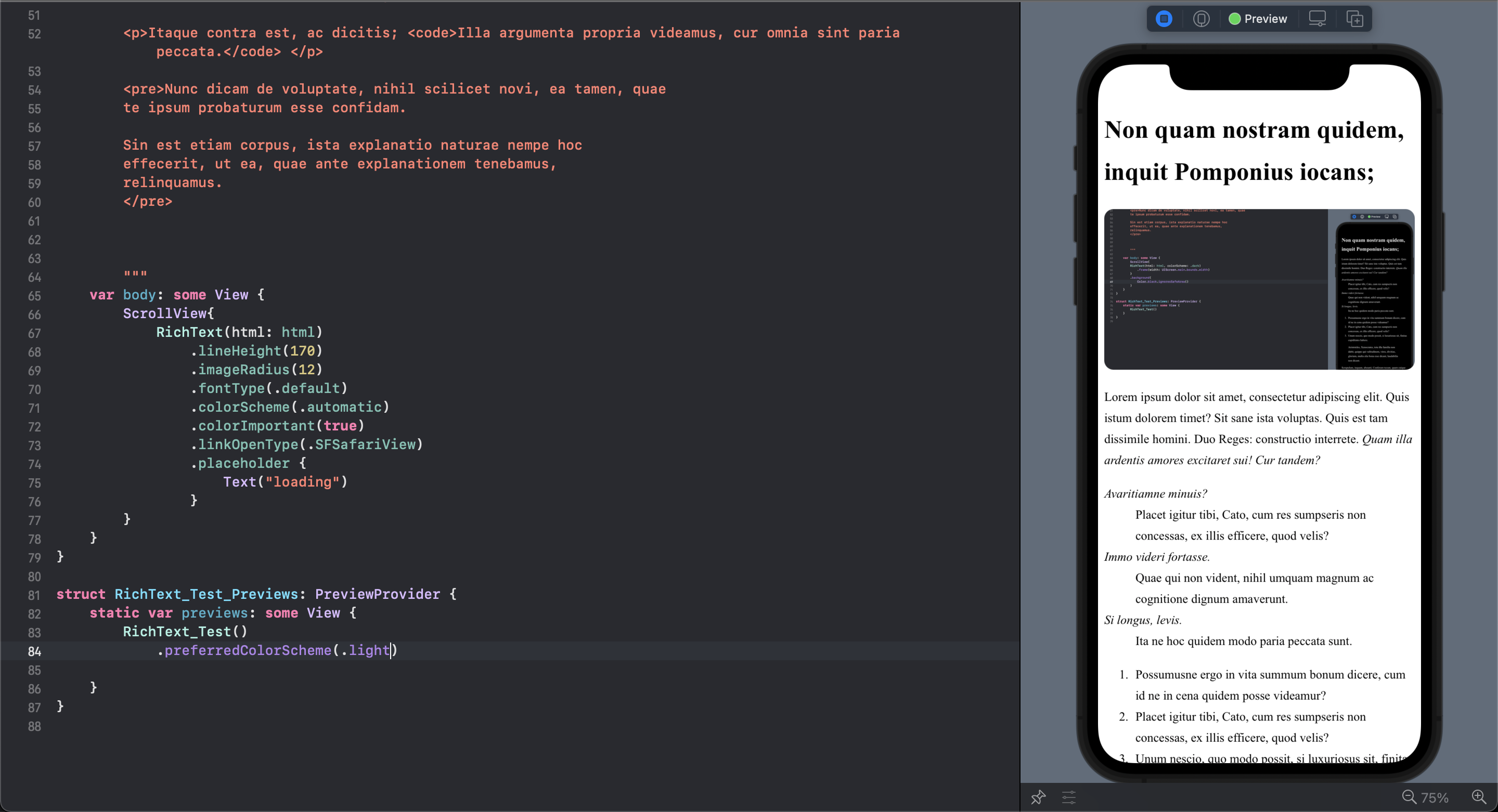 |
 |
|---|---|
| Light Mode | Dark Mode |
- Cross-platform — iOS 15.0+ and macOS 12.0+, Swift 5.9+
- Automatic sizing — the view resizes itself as the content lays out, including late images, web fonts and
<details>toggles - Theming — automatic light/dark mode, custom color sets, transparent or custom backgrounds
- Typography — system, monospaced, italic, custom and bundled fonts, with Dynamic Type support
- Interactive media — click callbacks for images and videos
- Link handling — Safari,
SFSafariViewController, or your own handler - HTML5 —
<figure>,<details>,<summary>,<figcaption>and the semantic elements - Error reporting — typed errors for load, configuration and CSS failures
tvOS and watchOS are not supported: Apple does not ship
WKWebViewon those platforms.
import SwiftUI
import RichText

struct ContentView: View {
    let html = """
        <h1>Welcome to RichText</h1>
        <p>A powerful HTML renderer for SwiftUI.</p>
    """

    var body: some View {
        ScrollView {
            RichText(html: html)
                .colorScheme(.auto)
                .lineHeight(170)
                .imageRadius(12)
                .placeholder { ProgressView() }
                .onMediaClick { media in
                    if case .image(let src) = media { print(src) }
                }
                .onError { error in print(error) }
        }
    }
}
See the API reference for every modifier, and advanced usage for custom fonts, themes and complete examples.
- In Xcode, select File → Add Package Dependencies...
- Enter the repository URL:
https://github.com/NuPlay/RichText.git - Select version rule: "Up to Next Major Version" from "3.1.1"
- Click Add Package
Add RichText to your Package.swift:
dependencies: [
    .package(url: "https://github.com/NuPlay/RichText.git", .upToNextMajor(from: "3.1.1"))
],
targets: [
    .target(
        name: "YourTarget",
        dependencies: ["RichText"]
    )
]| Document | Contents |
|---|---|
| API Reference | Every initializer, modifier and utility |
| Advanced Usage | Custom fonts, theming, media handling, performance, full examples |
| Troubleshooting | Common issues and platform-specific notes |
| Migration Guide | Upgrading from v2.x |
| Changelog | Release notes |
| Contributing | How to report issues and send patches |
Open-source apps that render their content with RichText:
| Project | What it is |
|---|---|
| IBM/mac-ibm-notifications | macOS agent for displaying notifications and alerts to managed devices |
| AudioBooth | iOS companion app for Audiobookshelf |
Each of these declares RichText in its public dependency manifest. No affiliation or endorsement is implied in either direction. Using RichText in your project? Open a PR to add it.
RichText is available under the MIT license. See the LICENSE file for more info.
- Built with WebKit for reliable HTML rendering
- Inspired by the SwiftUI community's need for rich text solutions
- Thanks to all contributors and users
- Issues: GitHub Issues
- Discussions: GitHub Discussions
Made with ❤️ for the SwiftUI community